

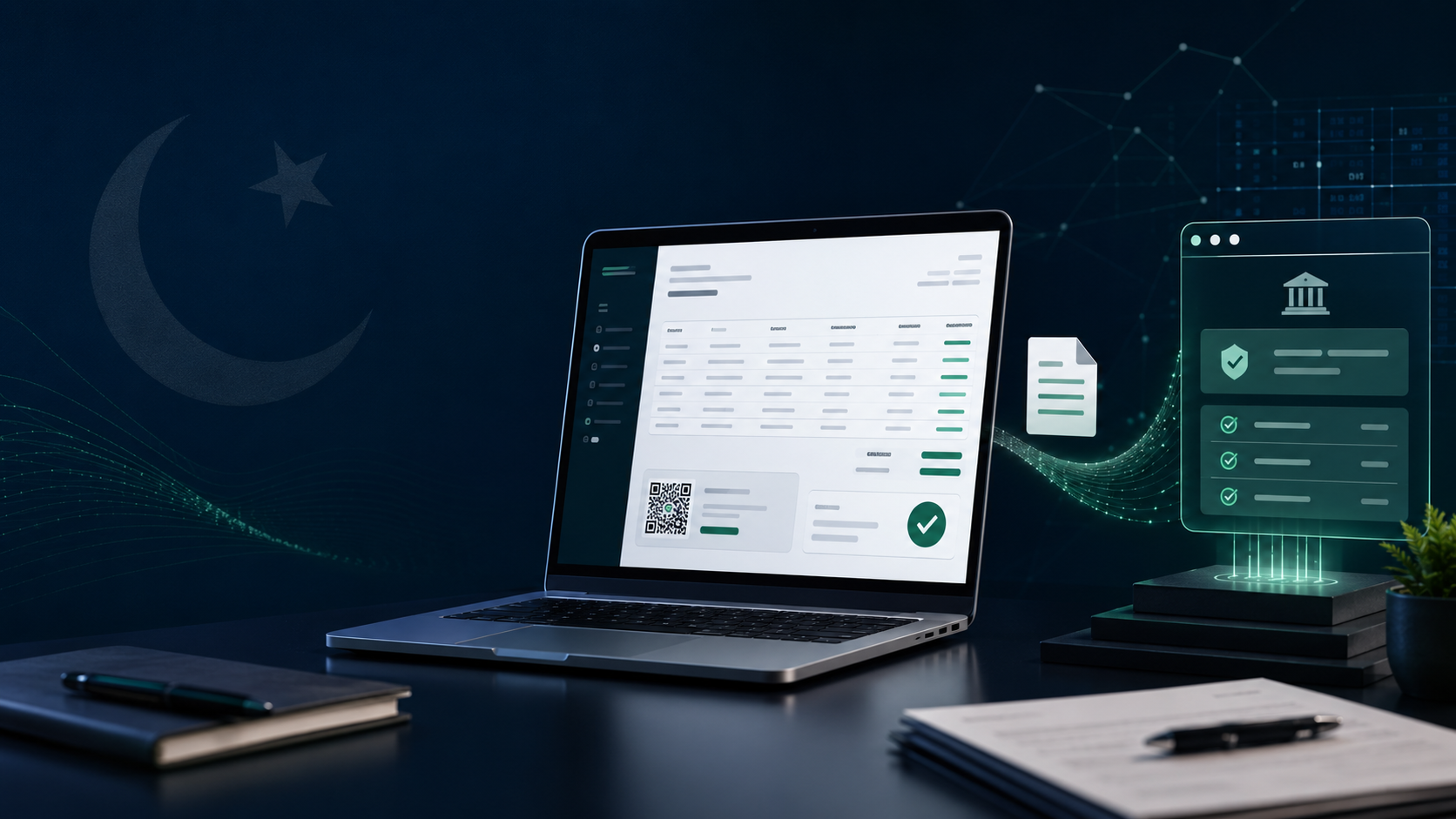
FBR Digital Invoicing in Pakistan: Complete 2026 Guide for Businesses
Super Admin
FBR Digital Invoicing connects a business’s invoicing software with the Federal Board of Revenue’s computerized system. Instead of recording an invoice only inside the company’s accounts, the required transaction information is electronically submitted through an approved integration process.
For businesses in Pakistan, this means customer details, product classifications, tax rates and invoice values must be correct when an invoice is issued—not several weeks later when the sales tax return is prepared.
This guide explains how FBR Digital Invoicing works, which businesses should check their obligations, what information is required and how to prepare for registration, sandbox testing and live invoicing.
FBR Digital Invoicing in Pakistan: Quick Answer
FBR Digital Invoicing allows sales invoice information to be transmitted electronically from a business’s accounting, ERP or POS system to FBR.
A covered business generally needs to:
- Confirm its digital invoicing obligation.
- Select PRAL or another FBR-licensed integrator.
- Connect its accounting or invoicing software.
- Map the required invoice and tax information.
- Complete the assigned sandbox tests.
- Move to the production environment.
- Monitor accepted, pending and rejected invoices.
FBR describes the prescribed data-sharing process as real-time transmission through a web API. Businesses should always check the latest FBR documentation because legal and technical requirements can change.
What Is FBR Digital Invoicing?
FBR Digital Invoicing is an electronic system for sharing sales invoice information with the Federal Board of Revenue.
A normal digital invoicing transaction works as follows:
- The seller prepares an invoice in its accounting or ERP software.
- The software checks the customer, item and tax information.
- The required invoice data is sent through the approved integration channel.
- FBR validates the submitted information.
- The response is saved against the original invoice.
- The business issues the validated invoice to its customer.
The customer invoice, FBR response and accounting entry should remain connected. This provides a traceable record for reconciliation and audit purposes.
Is a PDF Invoice an FBR Digital Invoice?
A PDF invoice is not automatically an FBR digital invoice.
A paper invoice is printed and issued manually. An electronic invoice may be created in Word, Excel or accounting software and shared as a PDF.
An FBR digital invoice, however, requires the prescribed transaction information to be transmitted through an authorized integration process.
Simply emailing a PDF invoice to a customer does not complete digital invoicing requirements.
Who Needs FBR Digital Invoicing?
FBR has expanded digital invoicing requirements through notifications covering categories of sales-tax-registered persons.
SRO 1413(I)/2025 directed specified registered persons to complete registration and testing through PRAL or another licensed integrator and begin issuing electronic invoices according to the applicable schedule.
Your business should review its current obligations if it:
- Is registered for sales tax.
- Sells taxable goods or services.
- Issues invoices through accounting or ERP software.
- Operates a retail POS system.
- Has several branches or sales locations.
- Uses different invoicing systems across departments.
- Manages accounts for multiple registered businesses.
Rules, schedules and implementation arrangements can change. Businesses should confirm their individual position through FBR or a qualified Pakistani tax professional instead of relying on an old deadline mentioned in a blog post.
Why Has FBR Introduced Digital Invoicing?
Digital invoicing creates a direct and more consistent record of taxable sales.
The system is intended to:
- Standardize invoice information.
- Improve transaction traceability.
- Reduce undocumented sales.
- Identify differences between invoices and tax returns.
- Strengthen tax reporting.
- Support invoice verification.
- Reduce repeated data entry.
- Improve audit records.
For a business, the biggest operational benefit is the ability to connect sales invoices with inventory, tax registers and general ledger entries.
What Information Does an FBR Digital Invoice Require?
The exact fields depend on the type of transaction and the latest technical requirements. Businesses will generally need to maintain the following information.
Seller information
The accounting system should contain the seller’s:
- Registered business name
- NTN or Sales Tax Registration Number
- Registered address
- Province or jurisdiction
- Branch or business-location information
Buyer information
Depending on the transaction, the business may need the buyer’s:
- Name
- Registration number
- Address
- Province
- Registration status
Invoice information
The system may require:
- Invoice date
- Invoice type
- Unique invoice reference
- Transaction category
- Original invoice reference for an adjustment
Product or service information
Each invoice line should have accurate information such as:
- Product or service description
- HS code
- Quantity
- Unit of measurement
- Unit price
- Value excluding tax
- Discount
- Applicable tax rate
- Sales tax amount
- Further tax or other applicable charges
The amounts on the customer invoice should agree with the information submitted and the accounting entry posted to the ledger.
What Is an HS Code?
An HS code is a standardized classification used to identify goods. It can affect how a product is reported and taxed.
Businesses should not select an HS code only because its description appears similar to the product name. Similar products can have different classifications based on their composition, form or intended use.
Before beginning digital invoicing, a business should:
- Review its complete product catalogue.
- Remove duplicate item records.
- Assign suitable HS codes.
- Confirm units of measurement.
- Connect items to controlled tax profiles.
- Record who reviewed and approved each classification.
Where the correct classification is unclear, advice should be obtained from a qualified tax or customs professional.
How Does FBR Digital Invoicing Work?
The complete process can be divided into six stages.
1. Creating the invoice
A salesperson or accountant creates the invoice in the company’s accounting, ERP or POS software.
2. Checking the information
The software checks whether the required information is available. This can include the buyer’s registration details, item description, HS code, quantity, rate and tax treatment.
3. Submitting the data
The system sends the required invoice information through PRAL or another authorized integration arrangement.
4. FBR validation
The submitted information is checked according to the applicable format and validation rules.
5. Recording the response
The accounting system saves FBR’s response against the invoice. The user should be able to see whether the invoice was accepted, rejected or remains pending.
6. Updating the accounts
The approved invoice updates the relevant customer, sales, tax and inventory records. Finance staff can then reconcile digital invoices with the sales register and general ledger.
What Is an FBR-Licensed Integrator?
A licensed integrator provides an authorized connection between the business’s invoicing software and FBR’s Digital Invoicing System.
FBR’s FAQs explain that a notified registered person may use suitable electronic invoicing software and connect through an integrator holding a valid FBR licence.
Before selecting an integrator or software provider, ask:
- Is its current integration arrangement authorized?
- Does it support your industry?
- Can it process all your transaction types?
- Does it provide sandbox testing?
- How does it handle rejected invoices?
- Can it prevent duplicate submissions?
- Does it support multiple branches?
- Are FBR responses stored against every invoice?
- What support is available when a submission fails?
- Can submission and error records be exported?
Do not select a provider merely because it claims to be “FBR ready.” Request a demonstration of a successful invoice, a rejected invoice, a credit note and a connection failure.
How to Register for FBR Digital Invoicing
The exact portal screens may change, but the general registration and implementation process includes these steps:
- Confirm the business’s sales tax registration.
- Review the applicable FBR notification.
- Access the relevant FBR registration process.
- Verify the registered business and branch details.
- Select PRAL or another permitted integrator.
- Complete the required authorization process.
- Connect the company’s invoicing software.
- Configure the necessary credentials.
- Complete the assigned sandbox tests.
- Resolve validation errors.
- Obtain access to production submission.
- Begin issuing live digital invoices.
Use the latest FBR Digital Invoicing User Manual during registration. Screenshots from older tutorials may no longer match the current portal.
How to Connect Accounting Software With FBR
A successful integration requires coordination between finance, tax, sales, inventory and technical teams.
Review the existing workflow
Start by documenting how a sale moves through the business:
Quotation → Sales order → Delivery → Invoice → Customer payment
Determine the point at which an invoice becomes final. An unfinished quotation or editable draft should not be treated as a completed sales invoice.
Clean customer and product records
Review the following information:
- Customer registration numbers
- Customer addresses
- Product descriptions
- HS codes
- Units of measurement
- Tax rates
- Branch records
- Invoice types
Incorrect master data is one of the most common causes of rejected invoice submissions.
Map the required information
Each piece of invoice data must have a reliable source inside the accounting system.
For example:
- Seller information should come from the business profile.
- Buyer information should come from the customer account.
- HS codes should come from the item record.
- Quantity and price should come from the invoice line.
- Tax rates should come from controlled tax profiles.
- Branch information should come from the business-location record.
- Credit notes should contain a reference to the original invoice.
Users should not have to type the same information repeatedly on every invoice.
Configure and test the connection
The accounting software sends structured invoice information through the prescribed technical connection.
The software provider should confirm that it is using the latest FBR documentation before beginning development or moving into production.
What Is FBR Sandbox Testing?
The sandbox is a controlled testing environment. It allows businesses to test their integration without treating the test transactions as live commercial invoices.
Depending on the business, testing may cover:
- Sales to registered buyers
- Sales to unregistered buyers
- Goods and services
- Standard-rated supplies
- Reduced-rate supplies
- Zero-rated supplies
- Exempt supplies
- Discounts
- Further tax
- Credit notes
- Debit notes
- Exports
- Corrected transactions
- Failed connections
Passing one standard invoice is not enough. The system should be tested for every type of transaction the business uses.
For each test, compare:
- The invoice shown to the customer.
- The information accepted by FBR.
- The journal entry posted to the general ledger.
The invoice value and tax treatment should agree across all three records.
Common Reasons Digital Invoices Are Rejected
Digital invoices are often rejected because of incomplete or inconsistent business information.
Common causes include:
- Missing buyer information
- Invalid registration number
- Incorrect HS code
- Unsupported unit of measurement
- Incorrect tax rate
- Wrong invoice type
- Mismatched invoice totals
- Missing original-invoice reference
- Invalid date format
- Incomplete branch information
- Duplicate submission
When an invoice is rejected, the software should show the relevant reason instead of displaying only a general technical error.
The business should then:
- Read the validation response.
- Identify the incorrect field.
- Correct the customer, item or tax record.
- Resubmit the original transaction.
- Confirm that no duplicate invoice was created.
- Retain the previous attempt in the audit history.
What Happens If the FBR System Is Unavailable?
An internet or service interruption should not cause an invoice to disappear or be submitted twice.
A dependable accounting system should:
- Record the unsuccessful attempt.
- Keep the invoice in a pending queue.
- Retry it according to the applicable procedure.
- Prevent duplicate submissions.
- Notify an authorized employee.
- Store the submission history.
- Display the invoice’s current status.
Businesses should follow FBR’s latest instructions and the procedure approved for their selected integration route.
How Digital Invoicing Affects Accounting
Digital invoicing works best when connected to a double-entry accounting system.
For example, when a taxable credit sale is approved:
- Accounts receivable is debited with the total invoice amount.
- Sales revenue is credited with the value excluding tax.
- Output sales tax is credited with the tax amount.
If inventory is involved:
- Cost of goods sold is debited with the cost of the items.
- Inventory is credited by the same amount.
The debit and credit totals must remain equal.
When invoicing, tax calculations and accounting are handled in separate applications, employees have to reconcile these records manually. An integrated ERP can generate the invoice, tax record, inventory movement and journal entry from one approved transaction.
Benefits of FBR Digital Invoicing for Businesses
Less duplicate data entry
Employees do not need to create the same transaction in separate invoicing, inventory and accounting systems.
Better tax accuracy
Controlled item profiles and tax rules reduce manual calculation mistakes.
Faster reconciliation
Finance teams can connect each FBR submission with its original invoice and ledger entry.
Clearer audit trail
Submission attempts, corrections, responses and approvals remain traceable.
Stronger invoice control
Finalized invoices cannot be changed silently without leaving a record.
Better multi-branch visibility
Management can monitor invoice activity and submission status across different locations.
These benefits depend on accurate implementation. Connecting poor-quality customer and product records will not automatically correct them.
Short Case Study: Multi-Branch Distributor
This is an illustrative example. Replace it with verified customer information before presenting it as a real Flow Ledger Pro case study.
A Karachi-based distributor processes approximately 2,000 invoices every month through three branches. Each branch maintains separate customer and product records.
This creates several problems:
- The same customer appears under different names.
- HS codes are not consistently assigned.
- Tax rates are sometimes selected manually.
- Head office cannot immediately identify rejected invoices.
- Finance staff spend several days reconciling branch spreadsheets.
Before integration, the company combines duplicate customer accounts, standardizes item records and moves tax rates into controlled product profiles.
Invoice submission is then connected with the approval process. Accepted and rejected submissions appear in one monitoring view.
Outcome
The company gains a central view of invoice status across all branches. Finance staff can identify errors earlier and spend less time comparing invoices with tax and accounting records.
A real published case study should include verified results such as:
- Monthly invoice volume
- First-time acceptance rate
- Rejected invoices before and after implementation
- Reconciliation hours saved
- Average time required to correct an error
Short Case Study: Manufacturing Business
This is also an illustrative scenario.
A Lahore-based manufacturer sells products with different packaging sizes, units and tax treatments. Its previous software allows sales employees to select tax rates manually.
During sandbox testing, the company discovers inconsistent units and classifications in its product catalogue. The records are reviewed, and approved tax profiles are assigned to each product category.
Outcome
Sales employees now select the product and quantity while the accounting system applies the approved classification and tax treatment. This reduces manual selection and creates more consistent invoice records.
FBR Digital Invoicing Readiness Checklist
Before going live, confirm that:
- Your current compliance obligation has been verified.
- An authorized integration route has been selected.
- Seller and branch information is correct.
- Customer registration details have been reviewed.
- Product descriptions are standardized.
- HS codes have been checked.
- Units of measurement are consistent.
- Tax rates are controlled centrally.
- Applicable sandbox scenarios have passed.
- FBR responses are stored against invoices.
- Rejected invoices appear in an exception queue.
- Retry controls prevent duplicates.
- Credit notes reference original invoices.
- Invoice totals agree with accounting entries.
- User permissions are properly configured.
- Finance employees understand the error process.
How to Choose FBR Digital Invoicing Software
Your software should manage more than basic invoice submission.
Look for the following capabilities:
- FBR Digital Invoicing support
- Configurable tax profiles
- Customer registration controls
- Sales and purchase management
- Inventory integration
- Double-entry accounting
- Accepted, pending and rejected statuses
- Submission retry controls
- Credit and debit notes
- Multi-branch management
- Multi-business accounting
- Role-based permissions
- Accounting lock dates
- Complete audit history
- Tax and financial reports
- Secure data backups
During the product demonstration, ask the provider to process one successful invoice, one rejected invoice, one credit note and one failed connection.
How Flow Ledger Pro Supports the Workflow
Flow Ledger Pro brings invoicing, localized tax controls, inventory and double-entry accounting into one business workflow.
When a sales invoice is finalized, its customer, item and tax information can be used to prepare the required submission data. The accounting system can also record the corresponding receivable, revenue, tax and inventory entries.
This approach can help reduce:
- Duplicate invoice entry
- Differences between tax and ledger records
- Manually selected tax rates
- Unrecorded inventory movements
- Unclear submission statuses
- Unauthorized changes to completed periods
Only describe Flow Ledger Pro as officially integrated or FBR compliant after its production connection and licensed-integrator arrangement have been formally verified.
Final Thoughts
FBR Digital Invoicing is not only a change in invoice format. It connects everyday sales activity with tax reporting and makes data accuracy important at the time of each transaction.
A successful implementation depends on three things:
- Accurate customer, product and tax records.
- Complete testing of real business transactions.
- A reliable connection between invoicing, inventory and accounting.
Before implementation, confirm your obligations through FBR, select an authorized integration route and ask your software provider to demonstrate the complete process—from invoice creation to acceptance, rejection and reconciliation.
Ready to improve your invoicing and accounting workflow?
Explore Flow Ledger Pro’s localized tax controls, double-entry accounting, inventory management and multi-business reporting, or request a guided product demonstration.
Frequently Asked Questions
Quick answers to common questions about this topic
Ready to Transform Your Accounting?
Join hundreds of businesses using Flow Ledger Pro to streamline their financial operations.