
01
Catalog transparency
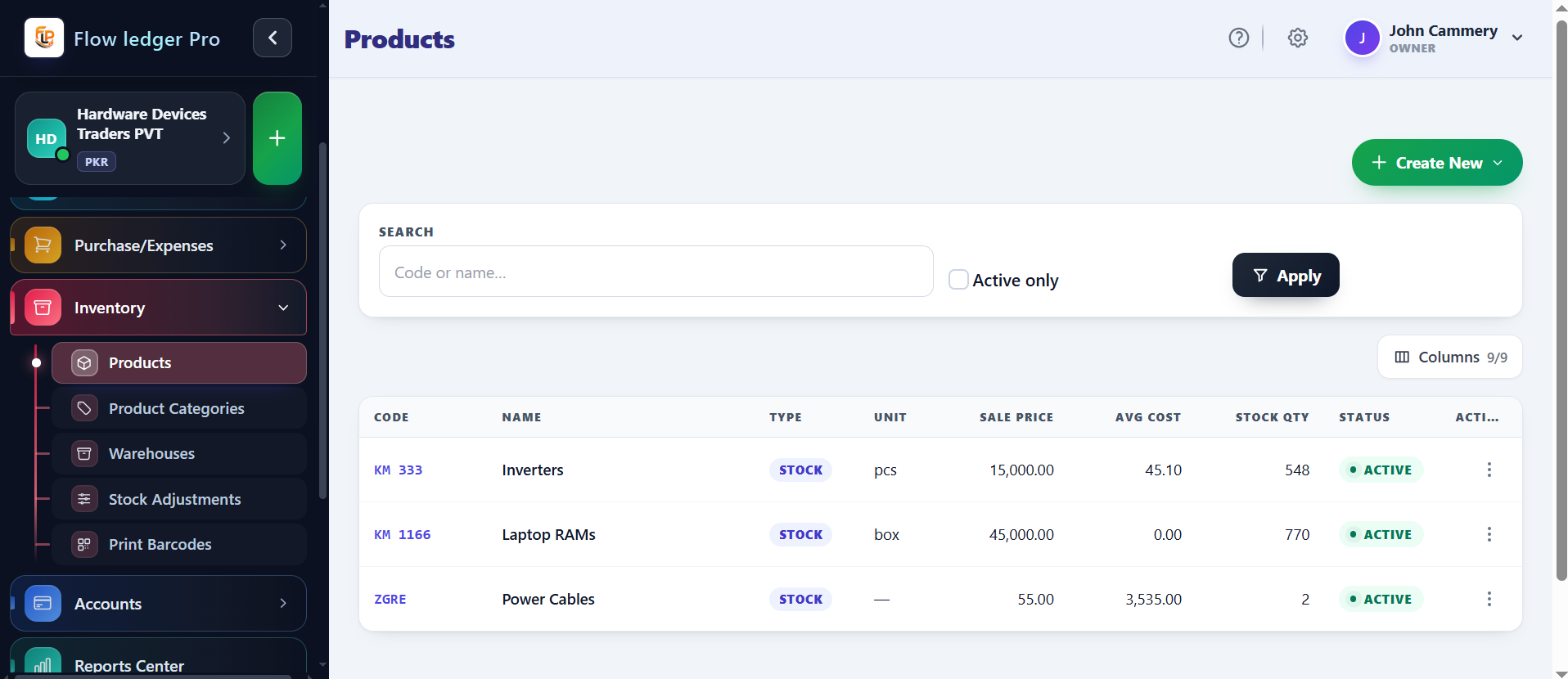
Create item records that distinguish physical stock from services and retain unit, selling-price, average-cost, and status context. This gives purchasing, sales, and finance teams one reliable starting point for review.
Maintain a transparent catalog of physical goods and services with stock corrections, valuation records, and practical inventory controls. Flow Ledger Pro helps operators follow a quantity change from the item record into the operational and accounting context that needs review.
Capabilities
4 workflows
Operating sequence
4 steps
Buyer checks
3 evidence points
The inventory workflow is organized around the questions operators ask every day: what is available, what changed, what did it cost, and which financial records should explain the movement.
Create item records that distinguish physical stock from services and retain unit, selling-price, average-cost, and status context. This gives purchasing, sales, and finance teams one reliable starting point for review.
Record quantity increases or decreases when a count, receipt, damage event, or operational correction changes the available balance. Keep the reason and movement visible instead of silently overwriting the prior quantity.
Route item activity to the configured income, cost, and asset accounts for that class. Review the mapping before posting so inventory movements remain connected to the financial records they affect.
Use stock-level controls to identify unavailable or low-stock items before a sale is completed. Confirm the exact blocking, alert, and warehouse behavior for your account configuration.
Inventory work is most useful when the quantity change and the financial meaning of that change can be reviewed together. Operators can start with an item record, follow receipts, sales, and adjustments, then use the resulting stock and valuation context to decide what needs attention next.
Without a clear movement history, teams may know an item count changed without understanding whether the change came from a receipt, sale, correction, or valuation update.
If 10 units cost $20 and 5 additional units cost $24, the simple weighted average is $21.33 per unit. This example explains the arithmetic only; live costing, rounding, and postings must be verified.
Inventory owners, purchasing teams, sales operators, and accountants who need quantity movements to remain understandable financially.
A concrete sequence makes it easier to evaluate where this module fits in your operating process.
Record a quantity increase against an item and warehouse or stock location.
Use an item in an operational transaction and reduce available stock.
Correct a count with an adjustment and preserve the reason for the change.
Review quantity, cost, and the resulting inventory-to-ledger relationship.
The examples below describe the evidence a buyer should be able to inspect in the product. Demo values are illustrative and are not customer results.
| Illustrative WAC | 10 units × $20 + 5 units × $24 = $21.33 average costArithmetic example only; validate the live valuation method and rounding rules. |
|---|---|
| Stock movements | Receipt, sale, adjustmentA product demo should show the movement history and the related accounting records. |
| Controls to verify | Reorder, transfer, oversell, warehouse scopeConfirm which controls are live and which are planned before relying on them operationally. |
Review the practical details, setup requirements, and boundaries that matter before adopting this workflow.
Inventory activity is designed to remain connected to income, cost, and asset accounts. Confirm the exact posting map for each item class.
Weighted-average costing is a documented product concept, but the live calculation, rounding, and reporting behavior should be confirmed for your account.
Warehouse capacity is plan-specific. The pricing comparison currently lists one, two, or ten warehouses by plan, with custom limits available on Custom.