
01
Multi-level hierarchy
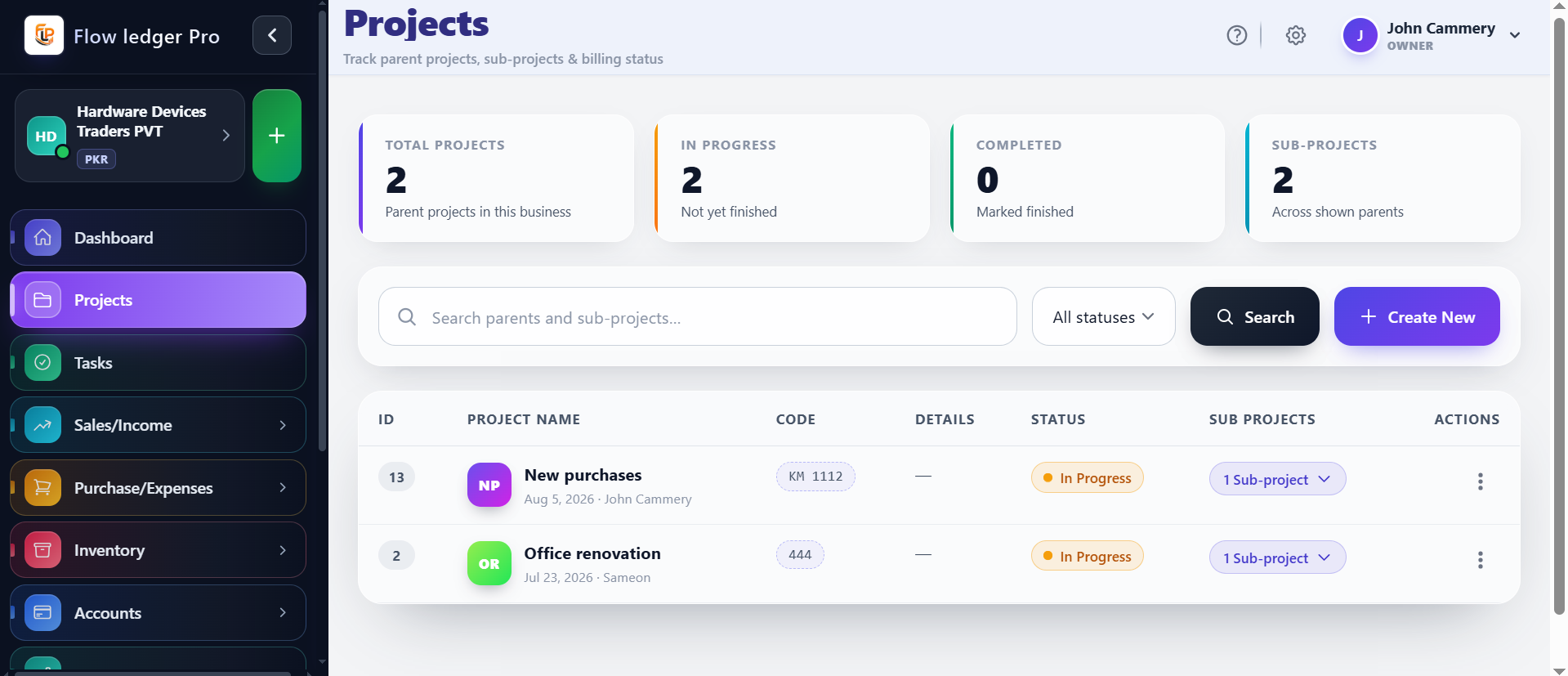
Organize parent and child projects to manage large portfolios without losing traceability between workstreams.
Coordinate projects, sub-projects, milestones, dependencies, and budget context so the team always knows what is moving, what is delayed, and what needs attention next.
Capabilities
4 workflows
Operating sequence
4 steps
Buyer checks
3 evidence points
The workflow is designed to connect portfolio structure with execution details so stakeholders can review what changed, what matters, and what needs a decision next.
Organize parent and child projects to manage large portfolios without losing traceability between workstreams.
Visualize dates, dependencies, and critical paths across the project structure with a clear operational view.
Compare planned versus actual spend and keep cost awareness connected to each project and milestone.
Coordinate approvals, governance steps, and review handoffs so project decisions stay explainable.
Project management is strongest when teams can see the structure, status, and cost implications of work in one place. It reduces context switching and helps stakeholders understand which phase is at risk before the issue becomes a delivery problem.
When projects are managed without a shared structure, teams lose sight of risk, dependencies, cost drift, and whether the work still aligns to the intended business outcome.
A portfolio manager tracks a multi-stage implementation, reviews milestone dates, compares budget spend to plan, and confirms stakeholder sign-off before the next phase begins.
Operations leaders, project managers, and stakeholders who need coordinated delivery, milestone visibility, and budget awareness across multiple initiatives.
A concrete sequence makes it easier to evaluate where this module fits in your operating process.
Create the project, parent-child hierarchy, dates, and stakeholders.
Monitor progress against dates, approvals, and critical dependencies.
Compare project spend and plan against current execution.
Use the project history to decide whether to advance, re-scope, or reset the next phase.
The examples below describe the evidence a buyer should be able to inspect in the product. Demo values are illustrative and are not customer results.
| Portfolio structure | Parent project / sub-project / milestone trackingValidate the exact hierarchy and approval rules in the live product. |
|---|---|
| Budget visibility | Budget, actual, forecastAsk for a demo of the cost-tracking assumptions and role-based access. |
| Dependencies | Dates, owners, blockers, and critical pathConfirm how the product emphasizes risk or overdue work. |
Review the practical details, setup requirements, and boundaries that matter before adopting this workflow.
The product concept allows parent and child project structures. Confirm the live hierarchy rules, depth, and reporting behavior in the walkthrough.
Budget and cost tracking are documented capabilities. Confirm how forecasts, actuals, and approvals are handled in the live implementation.
Stakeholder review and approval steps are a workflow design question. Confirm the supported approval rules and who can act on them.