
01
Balanced ledger validation
Validate debit and credit alignment as financial activity is recorded.
Protect the integrity of your nominal ledger with balanced posting checks, controlled access, and calendar lock dates for finalized periods.
Capabilities
4 workflows
Operating sequence
4 steps
Buyer checks
3 evidence points
Each capability is designed to keep the operational action and the accounting consequence connected.
Validate debit and credit alignment as financial activity is recorded.
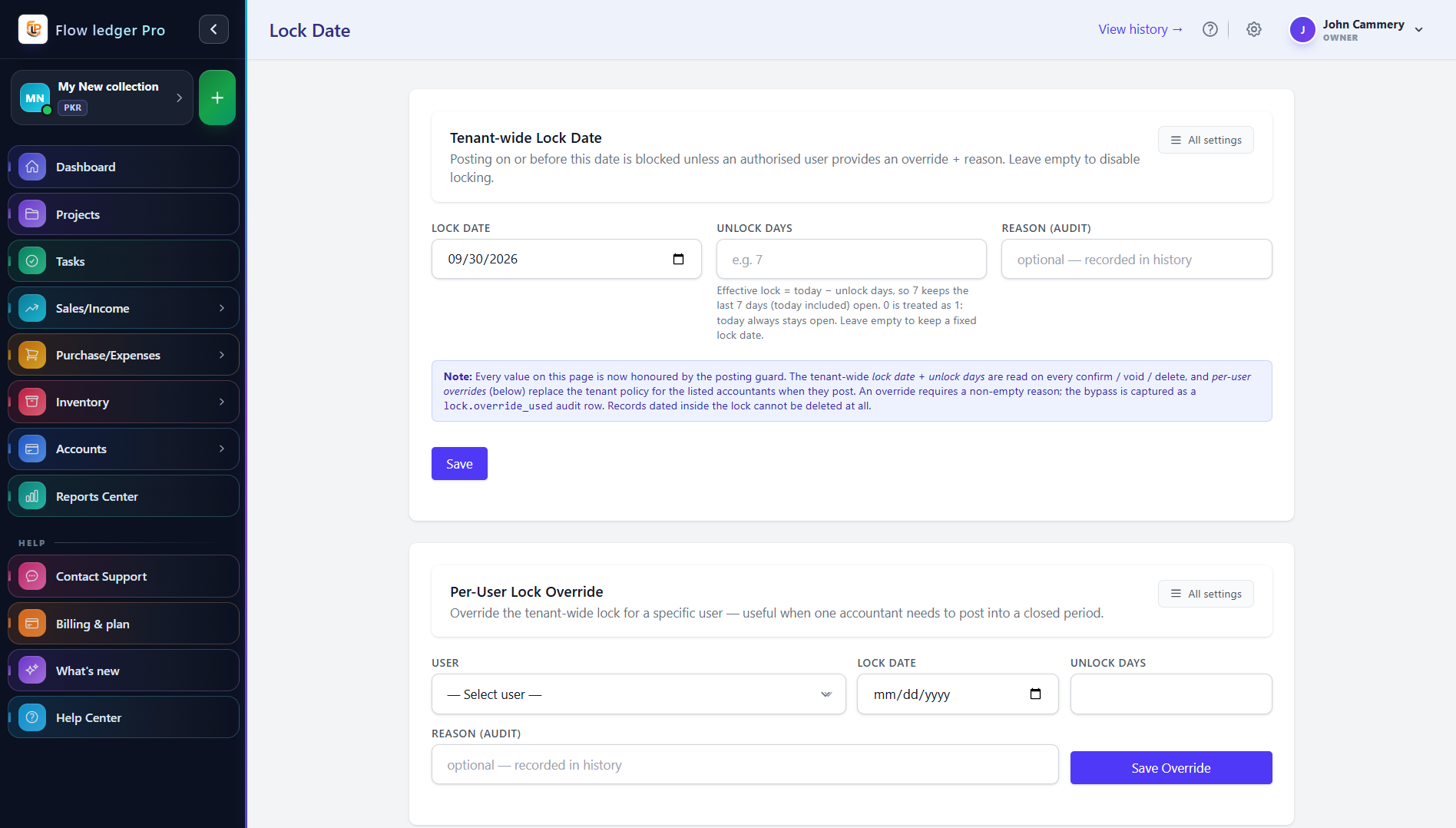
Seal finalized historical months to protect completed reporting and tax periods from retrospective changes.
Use role-based access restrictions to control who can work with financial records.
Support secure data access with configured IP restrictions for appropriate users.
Accounting teams also need to control who can change records, protect finalized periods, and explain what happened when a transaction is reviewed later.
An administrator sets a lock date after a month is finalized. A user attempts to edit an earlier journal, the system applies the configured restriction, and the reviewer checks the activity history for actor, action, record, and timestamp.
Administrators, accountants, and reviewers responsible for dependable posting, controlled periods, and explainable record changes.
A concrete sequence makes it easier to evaluate where this module fits in your operating process.
Choose the Chart of Accounts destinations for the transaction type.
Review debit and credit values before the record enters the ledger.
Set a lock date when a reporting period has been finalized.
Use permissions and activity history to investigate later changes.
The examples below describe the evidence a buyer should be able to inspect in the product. Demo values are illustrative and are not customer results.
| Illustrative journal | Debit A/R $1,000 / Credit revenue $1,000Balanced example only; confirm tax lines and account names in the product. |
|---|---|
| Lock-date test | Before: editable / After: restrictedA walkthrough should show the user role, date, and response when a locked record is changed. |
| Audit evidence | Actor, action, record, timestampConfirm retention, export, and correction behavior with the product team. |
Review the practical details, setup requirements, and boundaries that matter before adopting this workflow.
A lock date is intended to restrict edits to prior accounting periods. Confirm who can override it and how exceptions are recorded.
The product includes a User Activity Log concept. Confirm its event coverage, retention, and export options before using it as an audit control.
Balanced posting checks are a core product capability. Ask for a failed-posting demonstration and the exact error-handling behavior.