
01
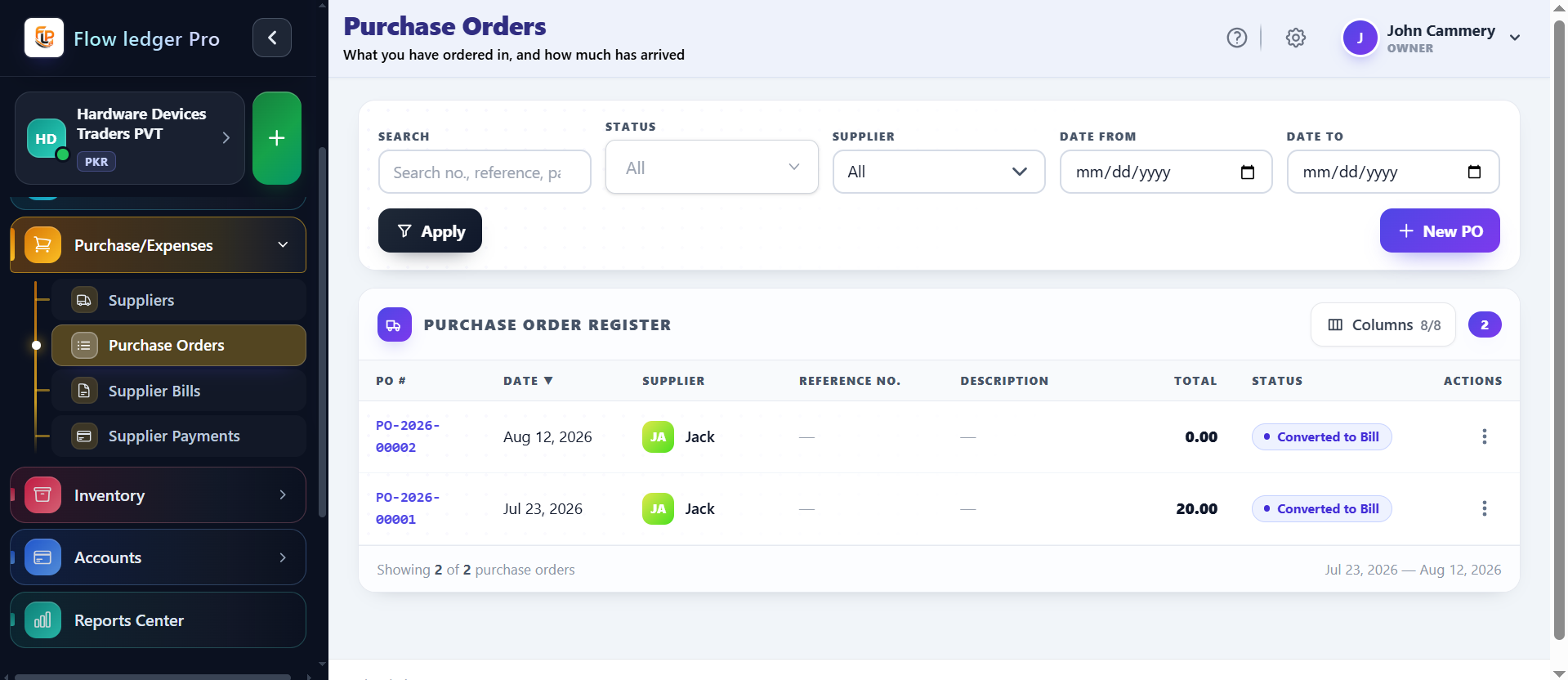
Traceable vendor outlays
Track purchase orders, vendor invoices, and payment cycles as a connected purchasing workflow.
Keep supplier purchasing structured from purchase order through vendor invoice and payment while maintaining connected accounting records.
Capabilities
4 workflows
Operating sequence
4 steps
Buyer checks
3 evidence points
Each capability is designed to keep the operational action and the accounting consequence connected.
Track purchase orders, vendor invoices, and payment cycles as a connected purchasing workflow.
Match incoming supplier purchase invoices to the appropriate business and accounting records.
Record direct non-supplier operational payouts while keeping expense activity visible.
Review chronological supplier activity and balances through the purchasing ledger.
Supplier bills and payments are harder to review when the original purchase request, approval context, and accounting record are not connected in one traceable sequence.
A purchase order for equipment is approved, matched to a vendor invoice, and then paid. The reviewer follows the document chain and checks the expense or asset account before closing the transaction.
Purchasing teams, finance reviewers, and operators who need supplier obligations to remain traceable through payment.
A concrete sequence makes it easier to evaluate where this module fits in your operating process.
Create the requested purchase with supplier, line items, and approval context.
Match the supplier invoice to the purchase record and review the accounting impact.
Record the supplier payment against the outstanding obligation.
Use the connected documents and ledger history to explain the transaction later.
The examples below describe the evidence a buyer should be able to inspect in the product. Demo values are illustrative and are not customer results.
| Example | PO → vendor bill → paymentA walkthrough should show the document IDs and how each step remains linked. |
|---|---|
| Controls to verify | Approval states and matching rulesConfirm whether two-way or three-way matching is supported before publishing that claim. |
| Returns | Purchase returns and adjustmentsAsk the product team to demonstrate the correction path for returned goods. |
Review the practical details, setup requirements, and boundaries that matter before adopting this workflow.
That is the intended purchasing flow. Confirm the matching behavior and required fields in a product walkthrough.
Supplier activity and balances are part of the purchasing ledger concept. Confirm the exact statement and export views available to your account.
Approval requirements depend on your configured workflow. The site does not assume a universal approval policy.