
01
Real-time monitoring
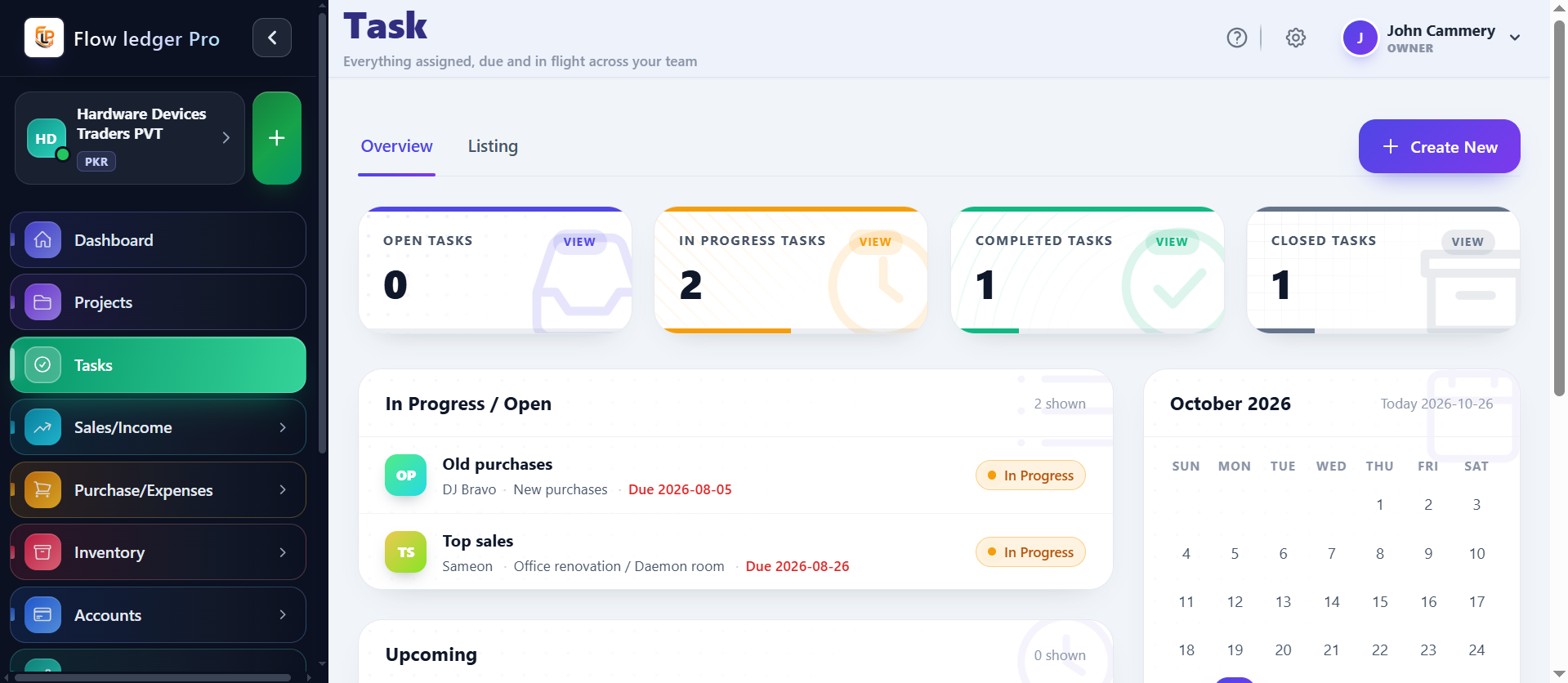
Live dashboards give managers immediate visibility into task progress, blockers, and throughput across teams.
Keep task ownership, due dates, status changes, and handoffs visible so teams can move work forward without losing context across the broader operation.
Capabilities
4 workflows
Operating sequence
4 steps
Buyer checks
3 evidence points
The workflow is organized around the questions teams ask every day: who owns this, what is next, what is blocked, and how does the work connect to the wider plan.
Live dashboards give managers immediate visibility into task progress, blockers, and throughput across teams.
Trigger updates, assign next actions, and escalate work based on status changes and deadlines.
Assign ownership, comment on tasks, attach evidence, and keep the task context shared across departments.
Review dates, calendar context, and scheduled work so due dates and dependencies remain understandable.
Task management is most useful when ownership, progress, and the broader project context are visible in one place. Teams need a simple way to move work from created to in progress to closed without losing the reason or the deadline behind each change.
Teams need a consistent way to assign work, see the next status, and distinguish a task from the wider project or workflow it belongs to.
A manager assigns a month-end reconciliation task, sets a due date, moves it from Open to In Progress, and closes it after the supporting review is complete.
Managers and team members who need clear ownership, statuses, due dates, and visibility into operational blockers.
A concrete sequence makes it easier to evaluate where this module fits in your operating process.
Define the task, owner, priority, due date, and project relationship.
Route the work to a team member and make the expected handoff visible.
Track open, in-progress, and closed transitions with the configured workflow.
Use timelines, notifications, or task reporting to find blockers and overdue work.
The examples below describe the evidence a buyer should be able to inspect in the product. Demo values are illustrative and are not customer results.
| Status flow | Open → In progress → ClosedConfirm custom statuses and transition rules in the live product. |
|---|---|
| Automation to request | Trigger, notification, escalationAsk for a demonstration of the actual trigger table and user permissions. |
| Task versus project | Task = work item / project = broader structureUse the walkthrough to confirm how tasks inherit project dates, budgets, and access. |
Review the practical details, setup requirements, and boundaries that matter before adopting this workflow.
A task is an actionable work item; a project is the broader structure that can organize work, dates, budgets, and dependencies. Confirm the exact relationship in the product.
Automated workflows and notifications are documented capabilities. Confirm the supported triggers, channels, recipients, and escalation rules.
Assignment and collaboration are core task workflows. Confirm role permissions and whether comments, attachments, and notifications are available on your plan.